Search Visibility Guide (2026): How to Get Found on Google
Search visibility means how often your pages appear in search results and how likely people are to click when they do. It’s not just “rankings.” Visibility is the outcome of three systems working together:

-
Discovery & indexing (can Google find and store your pages?)
-
Relevance & quality (does your page satisfy the search intent better than others?)
-
Trust & usability (is your site credible, fast, and easy to use?)
This guide breaks those down into practical steps you can implement on most WordPress sites.
1) Visibility starts with indexing: make your site crawlable and “indexable”
If Google can’t reliably crawl your site, content quality won’t matter. Start here:
Submit a sitemap and keep it clean
A sitemap helps search engines crawl more efficiently and understand which pages matter most. Build a sitemap and submit it in Google Search Console, and keep it updated when you publish or delete content.
Use robots.txt carefully
Robots.txt is mainly for crawl management; it’s not a security tool. Blocking important sections (like /wp-content/ assets or key pages) can break rendering and indexing behavior. Blocking important sections can break indexing. See Google’s robots.txt guide.
Fix duplicate URLs with canonicalization
Duplicate pages (or near-duplicates) can dilute visibility. Canonicalization is Google selecting the “representative” URL among duplicates. Use consistent internal linking, and when needed, specify canonical URLs using rel="canonical" or other recommended methods.
Avoid “soft 404s”
Soft 404s happen when a page looks like “not found” but returns a 200 OK, or when error pages are handled in misleading ways. Google recommends returning a real 404 status with a helpful message. Fixing this prevents wasted crawl budget and indexing confusion.
Use the URL Inspection tool to debug indexing
In Google Search Console, the URL Inspection tool shows Google’s indexed version of a page and whether it’s indexable, plus signals like structured data detection. This should be your first stop when a page “won’t rank.”
2) Content that wins in 2026: helpful, people-first, and intent-matched
Google’s guidance is consistent: ranking systems aim to surface helpful, reliable, people-first content—not content created mainly to manipulate rankings.
Use intent as your content blueprint
Before writing, identify the search intent:
-
Informational (“what is…”, “how to…”)
-
Commercial investigation (“best…”, “vs…”, “review”)
-
Transactional (“buy…”, “pricing”, “book”)
-
Navigational (brand or site name)
Your page should satisfy the intent fast: a clear intro, scannable sections, direct answers, and supporting detail.
Demonstrate real experience and expertise
When topics are competitive, content that shows first-hand experience, clear authorship, and evidence tends to perform better over time. Google encourages evaluating content against “people-first” questions; the goal is usefulness and trust.
Update content instead of publishing endless new posts
If you already have pages getting impressions, improving them is often the fastest visibility win:
-
expand thin sections,
-
add missing subtopics users expect,
-
improve internal linking,
-
refresh outdated references.
This aligns with “helpful content” principles and improves satisfaction.
3) Titles and snippets: win the click, not just the rank
Visibility includes CTR (click-through rate). Two sites can rank similarly, but the one with better snippet presentation gets more traffic.
Title links: make the main title obvious
Google can generate title links from multiple sources (on-page title, headings, prominent text). If your page has confusing or repetitive headings, Google may choose unexpected titles. Use a clear primary title and consistent structure.
Meta descriptions: write them like mini-ads (without clickbait)
Google may use your meta description in snippets when it matches the query well. Write a short, relevant summary that sets expectations and matches the page content.
Tip: For WordPress, create a unique meta description for:
-
homepage,
-
category pages that can rank,
-
key service/product pages,
-
top-performing blog posts.
4) Page experience & Core Web Vitals: remove friction
Speed and usability aren’t a magic ranking button, but Google strongly recommends good Core Web Vitals as part of delivering a great experience aligned with what ranking systems reward. Core Web Vitals measure real-user performance (field data), and Search Console reports help you diagnose issues at scale.
In 2026, treat performance like a product feature:
-
optimize images and lazy-load appropriately,
-
reduce heavy scripts,
-
improve server response,
-
simplify page builders where possible.
5) Structured data: help search engines understand your page (and earn rich results)
Structured data helps Google understand content and can enable rich results (enhanced appearances in SERPs). Implement it when it matches your page type (article, product, FAQ, organization, etc.).
Key rules:
-
Mark up what’s visible on the page.
-
Follow general structured data guidelines.
-
Don’t block structured-data pages with robots/noindex.
If you run ecommerce, product structured data can enhance listings with price, availability, and more.
6) Internal links: your most underrated visibility lever
Google uses links to discover pages and understand relationships. Make internal links crawlable and descriptive, and use meaningful anchor text that helps users and search engines understand what’s on the other page.
Practical internal linking system for WordPress:
-
Build topic clusters (pillar page + supporting posts).
-
Add 3–8 contextual links per post (where it makes sense).
-
Add “Next step” links (beginner → intermediate → advanced).
-
Update old posts to link to new high-value pages.
7) Authority without shortcuts: earn trust, avoid link spam
Backlinks can help visibility, but link manipulation is risky. Google’s spam policies cover tactics that can cause ranking drops or removal from results. Buying links or participating in link schemes can also trigger manual actions for unnatural links.
Safer authority-building strategies:
-
Create link-worthy assets (original research, calculators, templates).
-
Digital PR (data stories, expert commentary).
-
Partner pages where relevant (real associations, not “SEO farms”).
-
Reclaim unlinked brand mentions.
If you’re tempted to buy fake referrals or artificial traffic: don’t. It rarely improves organic performance long-term and can destroy analytics quality (and sometimes reputation).
8) Using AI responsibly for SEO content
Google’s stance isn’t “AI content is banned.” The issue is scaled content abuse—generating lots of pages with little value primarily to manipulate rankings. AI can help with research, structure, and drafts, but the final content should add unique value, accuracy, and real-world usefulness.
A safe workflow:
-
Use AI to outline and collect questions people ask.
-
Add human expertise, examples, screenshots, and real steps.
-
Cite reliable sources and keep claims accurate.
-
Edit for clarity, originality, and usefulness.
9) International and multi-location sites: use hreflang correctly (when needed)
If you serve multiple languages or regions, use hreflang to indicate localized versions so Google can show the right version to the right audience. Google notes it uses algorithms to determine language, but hreflang clarifies your intent and reduces mix-ups.
10) Measure what matters: visibility metrics to track weekly
In Google Search Console, track:
-
total impressions (visibility),
-
clicks (traffic),
-
average position (trend, not obsession),
-
query/page pairs with high impressions but low CTR (snippet opportunities).
Pair this with analytics (like Google Analytics 4) to see whether the traffic converts (leads, sales, signups).
Search visibility checklist (quick action plan)
Week 1: Indexing & technical
-
Submit sitemap and validate coverage.
-
Fix robots.txt mistakes.
-
Resolve canonical/duplicate URL issues.
-
Fix soft 404s properly.
-
Use URL Inspection on priority pages.
Week 2–3: Content & CTR
-
Rewrite titles for clarity; match intent.
-
Add strong meta descriptions for top pages.
-
Refresh 5–10 existing posts with missing sections and internal links.
Week 4+: Authority & experience
-
Publish 1 “linkable asset” per month.
-
Earn real mentions/links; avoid schemes.
-
Improve Core Web Vitals and usability.
Keyword Research for “Search Visibility Guide”
Primary (target) keyword
High-intent secondary keywords
-
improve search visibility
-
how to increase organic visibility
-
website search visibility
-
SEO visibility checklist
-
how to get indexed on Google
-
Google Search Console indexing issues
Technical SEO cluster keywords
-
sitemap submission
-
robots.txt best practices
-
canonical URL / rel=canonical
-
soft 404 errors fix
-
internal linking best practices
SERP/CTR optimization keywords
-
title link best practices
-
meta description best practices
-
improve organic CTR
Performance/UX cluster keywords
-
Core Web Vitals optimization
-
page experience SEO
Structured data cluster keywords
-
structured data SEO
-
rich results eligibility
-
product structured data
Trust & policy-related keywords
-
Google spam policies
-
link schemes / unnatural links manual action
-
AI content and Google guidelines
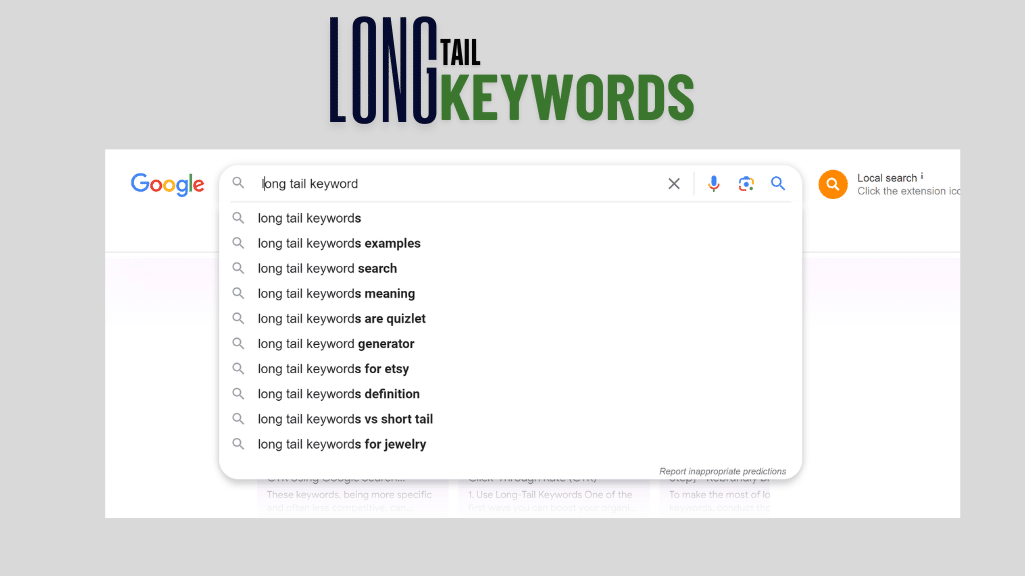
Long-tail questions (great for H2/H3s & FAQs)
-
Why is my page indexed but not ranking?
-
How long does Google take to index a new page?
-
Should I block tag pages with robots.txt?
-
Do meta descriptions affect ranking or clicks?
-
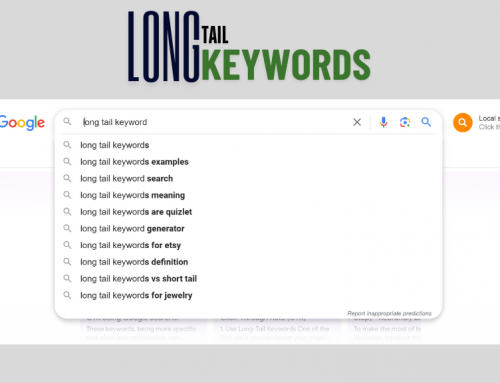
What causes soft 404 errors and how do I fix them?